
Description
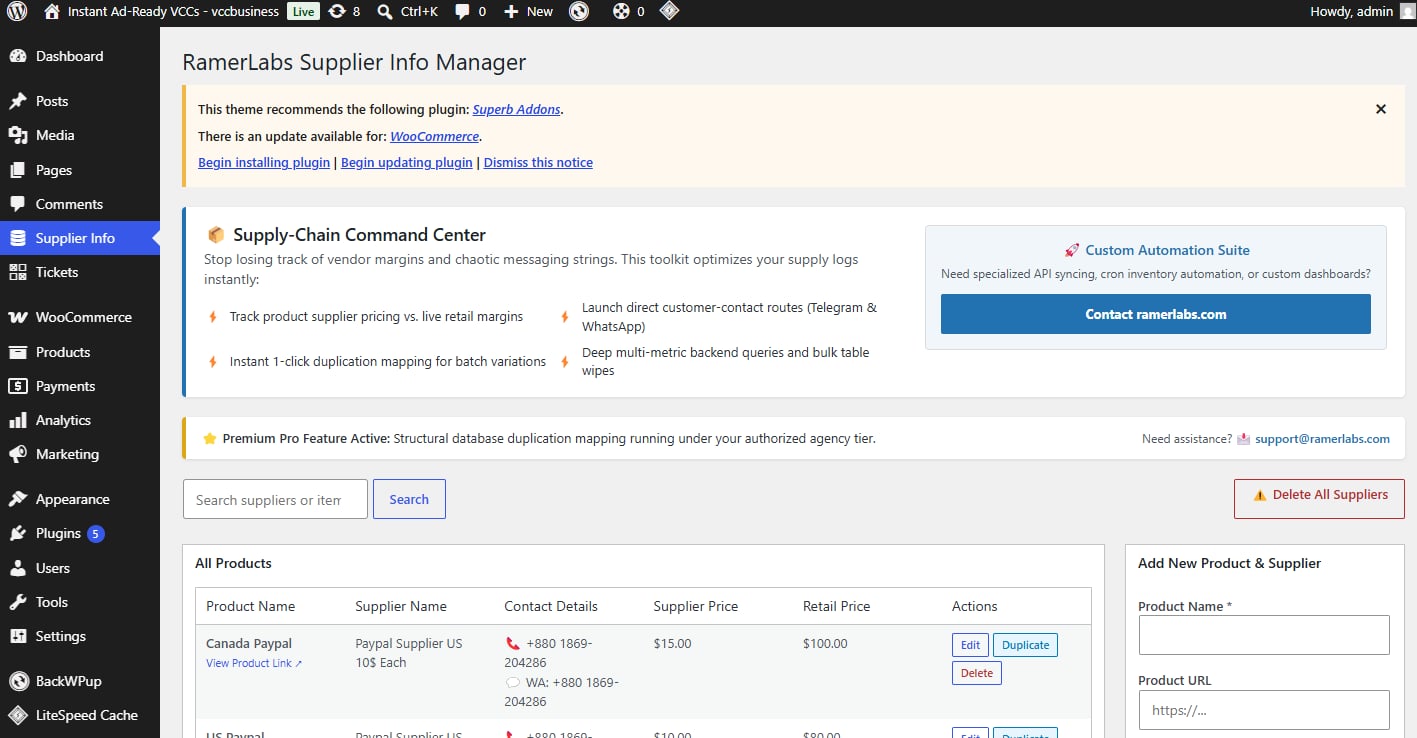
📦 Supply-Chain Command Center for WordPress
Managing multiple suppliers, volatile wholesale margins, and scattered contact chat strings can easily lead to spreadsheet chaos. Missing a single vendor price shift or losing a crucial messaging contact handle impacts your bottom line.
RamerLabs Supplier Info Manager delivers a streamlined administrative workspace built to organize your product supply lines directly from your WordPress dashboard.
⚡ Core Capabilities
-
Centralized Supply Matrix: Log wholesale costs, target retail margins, and exact product source links in one secure location.
-
Direct Communication Channels: Launch instant vendor support loops via dedicated WhatsApp lines, Telegram handles, emails, or phone numbers.
-
1-Click Sequential Duplication: Scale matching inventory seamlessly. Clone existing supplier metrics into a new row instantly while auto-incrementing titles (
Copy 1,Copy 2) to eliminate manual data entry fatigue. -
Multi-Metric Search & Bulk Maintenance: Query across names, phone numbers, or messaging handles using a live filter layout. Includes an integrated mass-delete engine for quick table resets.
💡 Frequently Asked Questions
Does this plugin impact my store’s frontend performance? No. This is a 100% backend administrative utility built specifically for warehouse administrators, drop-shippers, and procurement teams. It loads zero assets on your live frontend.
Is my vendor data shared with external servers? Absolutely not. Your supply lines and profit margins are your competitive advantage. All operational records are written locally and securely into a custom database table on your private server.
How does the sequential duplicate feature work? If you carry numerous variations from the same vendor, hitting “Duplicate” instantly copies all operational supplier metadata into a fresh row while automatically serializing the product name title.